






The outcomes teams like yours see with Tars
Purpose-built AI agents for addiction treatment

Convert
Turn the traffic your ads already buy into screened, insurance-captured admissions inquiries.
Respond the moment someone reaches out, at any hour
- Your 1am "rehab near me" inquiry gets answered at 1am.
- The agent picks up instantly on your website, WhatsApp, SMS, or email.
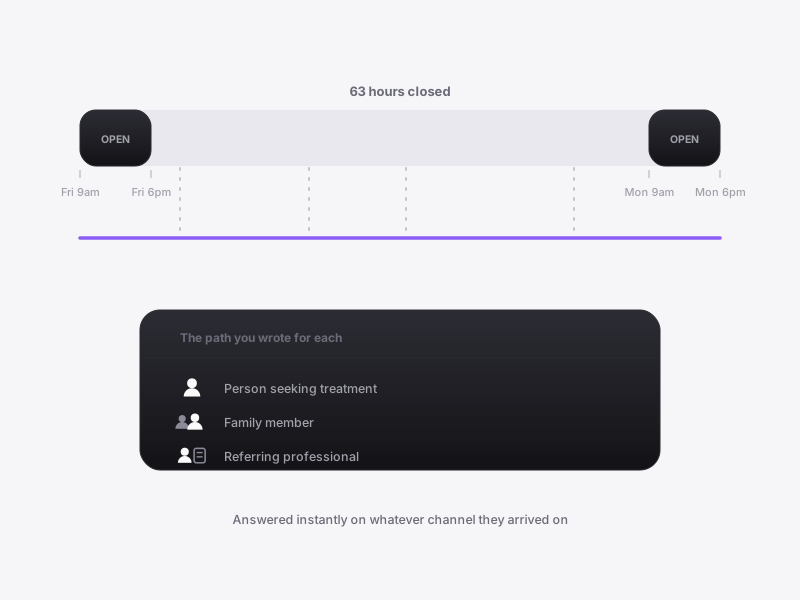
- It works out whether it is the person seeking treatment, a family member, or a referring professional, and runs the path you wrote for each.
- Weekend inquiries stop dying between 6pm Friday and 9am Monday.
- Industry data puts a five-minute first response at roughly nine times the conversion of waiting.
Pre-screen and point each inquiry at the right level of care
- An hour on an inquiry that was never a fit is an hour your admissions team does not get back.
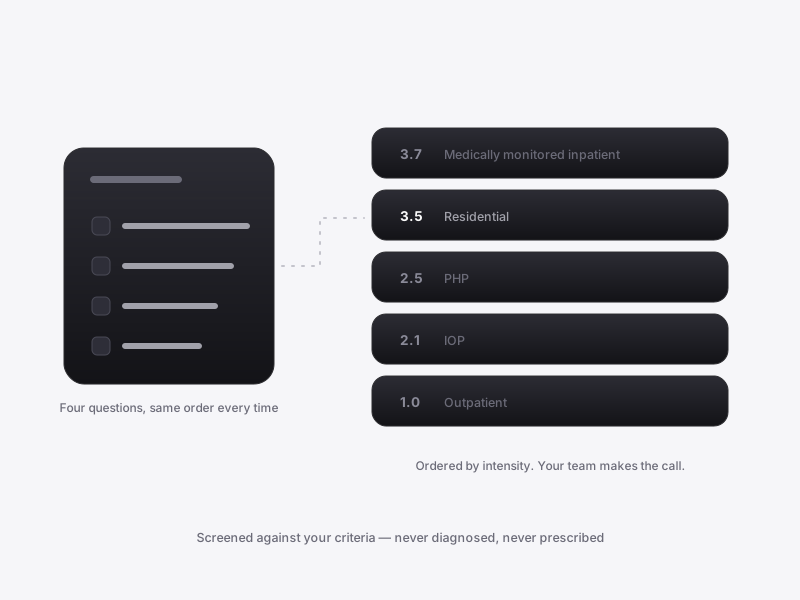
- Your intake questions run as a deterministic flow: substances and last use, prior treatment, co-occurring conditions, and who is paying.
- That same screening runs on web, WhatsApp, SMS, and email.
- The agent applies your routing rules to suggest which program to evaluate. It does not diagnose, recommend treatment, or tell anyone what care they need.
- Every care decision stays with your team, with the screening already done.
Capture everything your VOB needs inside the conversation
- "Will my insurance cover this" decides the admit, and today it gets answered a day later by someone else.
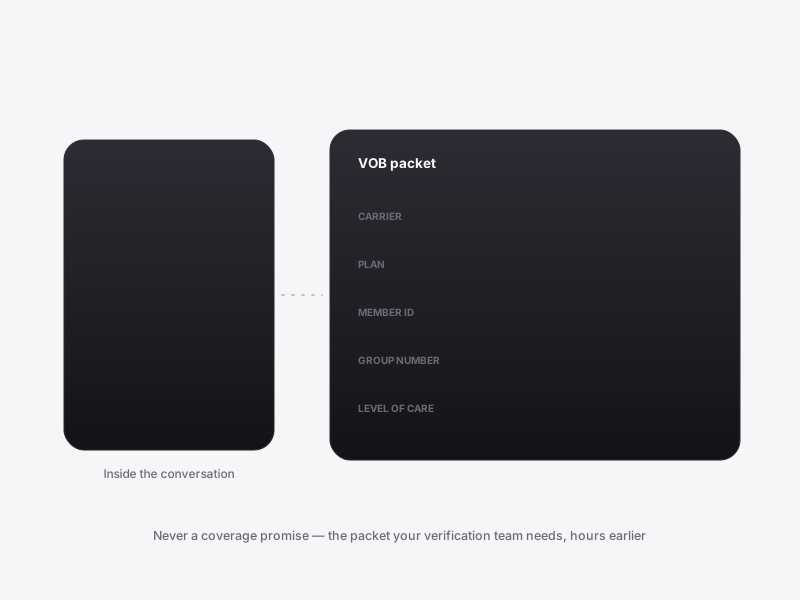
- The agent asks for carrier, plan, member ID, group number, and the level of care being considered.
- It collects all of it inside the conversation, so nobody is told to call back tomorrow.
- Your verification team gets a complete packet, written into the record so nobody re-asks. The agent never quotes a benefit determination and never promises coverage.
- Verification starts hours earlier, and nobody spends the morning chasing member IDs.
Land a structured, attributed inquiry in your EMR and CRM
- Every conversation should end as a record your team can act on.
- It carries the screening answers, the level of care under consideration, the desired admit date, and the insurance packet.
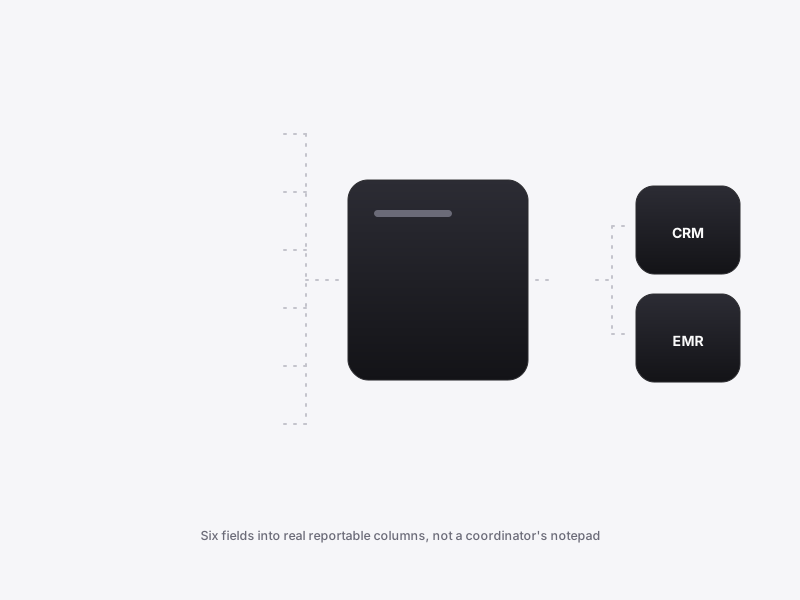
- The agent writes that into your admissions CRM and EMR by API and webhook, scoped to your stack.
- Lead temperature lands in a real reportable field rather than a free-text note, and the coordinator on duty is alerted when intent is hot.
- The spend is defensible with admits by source, and your admissions team gets a complete request.
Platform
Before you put an agent in front of a family on the worst day of their year, you need to know exactly what it will do.
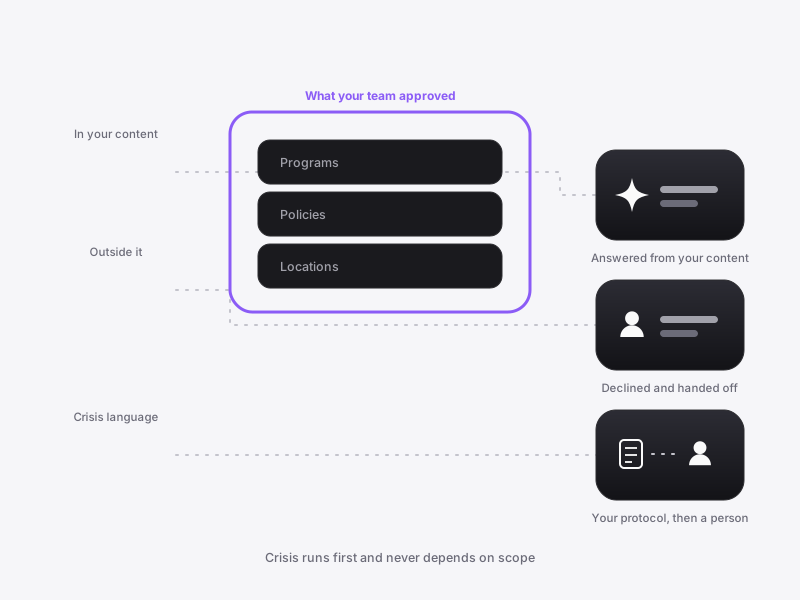
Keep the agent inside the answers your team approved
- In a demo you will try to break it: name a clinician who does not exist.
- The agent answers from your programs, policies, and locations, and nothing else. Outside that it declines and hands off.
- It does not diagnose, recommend treatment, or promise outcomes or coverage, which is what your LegitScript and paid-search reviewers check.
- Crisis handling is not left to the model. You define the triggers, the wording, the 988 instructions, and the escalation path.
- The agent runs that crisis flow as a deterministic tool, identically every time.
Hold a time with your admissions team inside the conversation
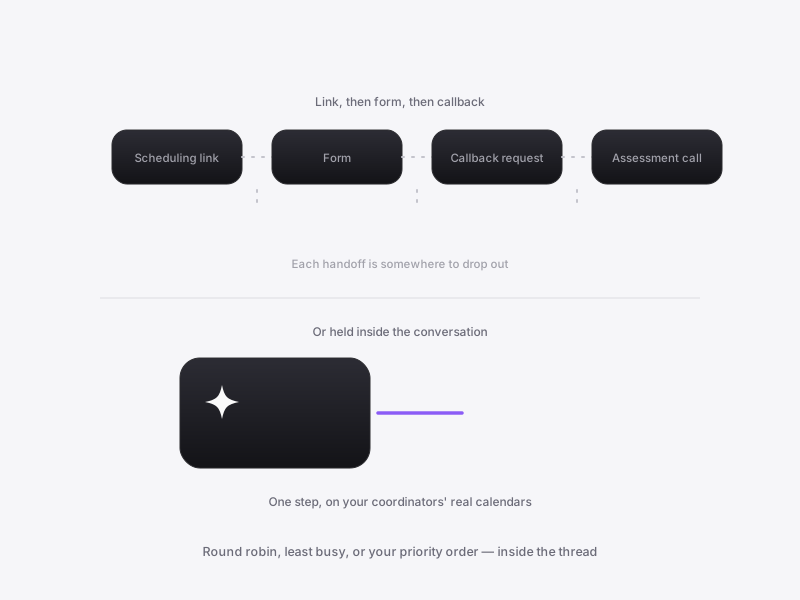
- The conversion event is your admissions team on a call with someone who is ready.
- Every step in between leaks: a link to a scheduling page, a callback request, a form.
- The agent holds the time inside the conversation, reading live availability from your team's Google Calendar or Outlook Calendar.
- It distributes across coordinators by round robin, least busy, or priority order, and honors your buffers and working hours.
- A real calendar invite and confirmation email go out, and your coordinator gets the whole conversation attached.
See which campaigns actually produce admits
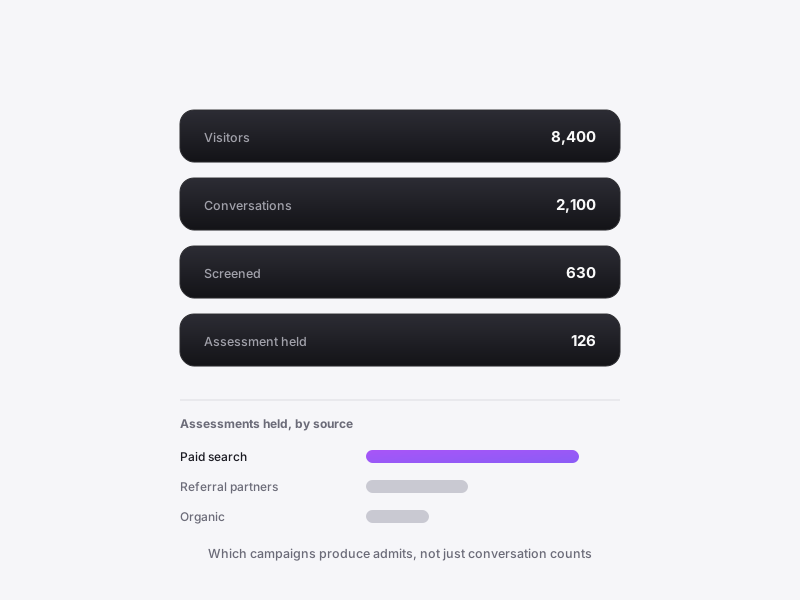
- You are asked to defend a six-figure paid budget with call counts.
- What you need: which campaign produced inquiries that reached an assessment, and where the agent came up empty.
- One analytics home covers the funnel from visitors to completed goals, with lead sources by UTM source, campaign, and landing page.
- Every number is clickable down to the conversation behind it, and a goal counts only when its trigger genuinely succeeded.
- Ranked issues point at where the agent had no answer, and any view exports to CSV.
Test the agent against real inquiry language before a real family sees it
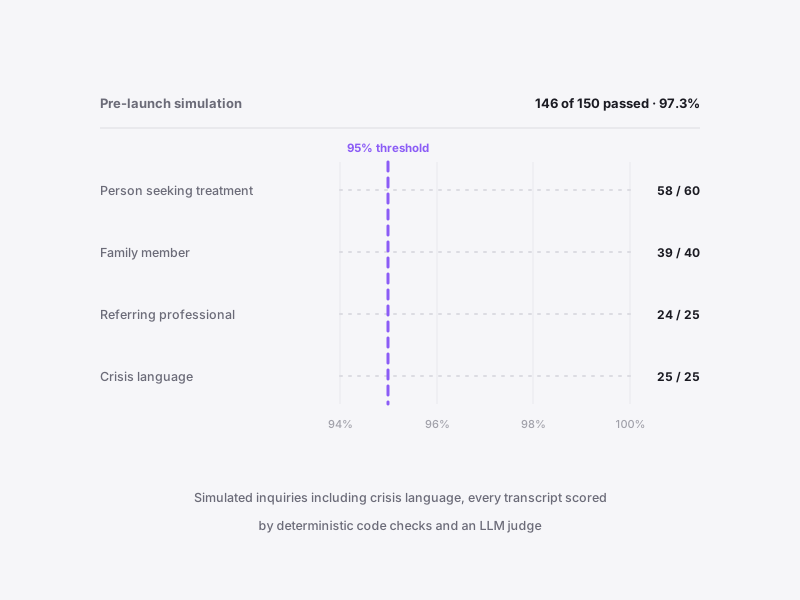
- You will not put this in front of a family until marketing, clinical, and legal have all poked at it.
- A handful of manual test chats prove almost nothing.
- Before launch, simulated people run multi-turn conversations against your actual agent, including crisis language.
- Personas and goals come from your own content and real inquiry transcripts, and every transcript is scored by deterministic code checks and LLM-judge evaluators.
- You set the quality threshold, deploy once the scores meet it, and after launch real conversations feed the same loop.
How Tars Agents Get Better

The healthcare acquisition flywheel
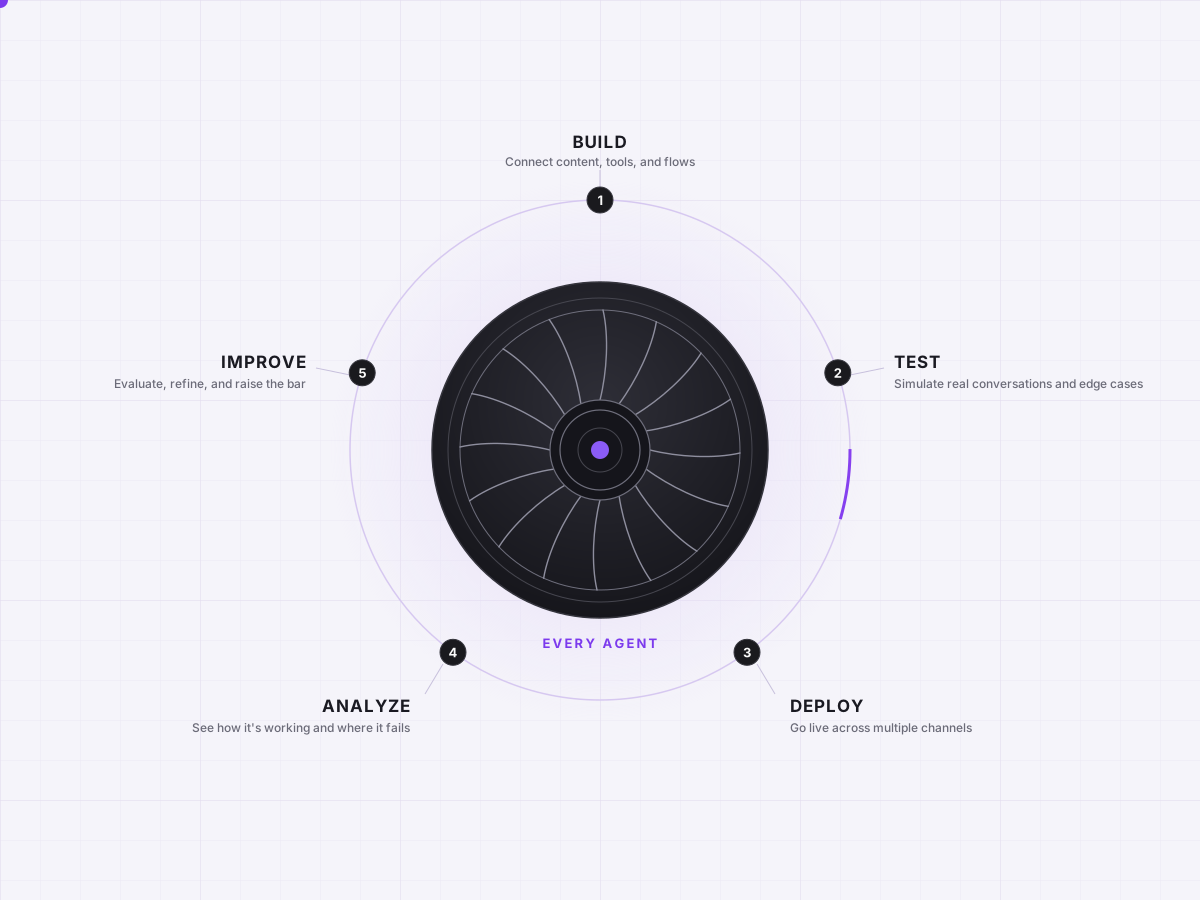
Putting an agent in front of people asking about care is not a click-a-button decision. Your clinical, legal, and marketing leads all have to sign off first. Tars closes the loop end to end. Train, test, deploy, learn, improve. More inquiries answered and more first appointments booked with every cycle.
Step 1: Train
Connect your service lines, locations and provider directory, accepted payers, pricing and policy pages, intake criteria, and past inquiry history. Set the guardrails and the exact wording for sensitive topics. The agent presents your care the way your best intake coordinator does, from your content and your rules.
Step 2: Test
Run simulated inquiries against the agent before launch, including the ones your reviewers are most worried about. Your escalation protocol and clinical-boundary rules become standing evaluators, so you see how the agent behaves on the hard cases before a single visitor does.
Step 3: Deploy
Go live on web, WhatsApp, SMS, and email when the scores clear your threshold, with booking and CRM write-back switched on from day one.
Step 4: Get Insights
See where inquiries drop off, which campaigns and landing pages produce booked appointments, and how conversion differs by location and service line. Every number opens down to the individual conversation behind it.
Step 5: Improve continuously
Close the gaps, re-test, and raise booked appointments month over month. Each cycle converts more of the traffic you are already paying for.




.png)
%201.png)
%201.png)